Knowledge Base: What is a Cloud Phone?
However, we can not justifiably speak about what Redfinger plan is right or wrong, until we have a clear and common understanding of what the technology is all about. So what is a cloud phone and in what way is it any different than the other tools you may have accessed like an android emulator in your personal computer? The inability to understand this difference will result in unrealistic expectations and inappropriate decisions. Just have a moment of imagination about your physical smartphone. It has a processor, memory (RAM), storage and operating system (Android). A cloud phone has all these same components. The radical contrast, though, consists of the fact that these elements do not exist in the handheld device. They live as virtual presence on a (powerful) server in a secure data center cloudemulator.net. You can use and manage this virtual phone online in your personal device whether it is a personal computer or a tablet or your very own smartphone. The processing, the memory use and the constant running it all goes on the server. Your device is but a screen and a system of controls.
The Master Idea: a Virtual Android Server.
Consider it as a remote controlled robot, only you are not in direct control of a physical robot, but rather you are in control of a full android operating system. It is not just a simulated environment, it is a native Android OS fully operational and on a special hardware. This is a crucial point. Redfinger is based on ARM architecture, which is used by the majority of physical Android smartphones and Android tablets around the globe. This guarantees some compatibility with applications owned by the Google Play Store that is usually hard to accomplish with other approaches (VMOS Cloud, 2025). An application that has been developed to run on an ARM-based device will most likely run most effectively and naturally in an ARM-based environment. It is, in effect, a real Android phone that, however, is in a different place. It is a 24/7 architecture. As the virtual phone is powered by a device which is in the server and that is never switched off, your resources are continuing to grind, your social media account is still open, your tests are still happening, even when you turn off your own computer or even when you lose internet connectivity. The cloud phone responds to a command issued by you until you give it a different command regardless of the position of your local machine.
Cloud Phone vs. Local Emulator: A Glaring Difference.
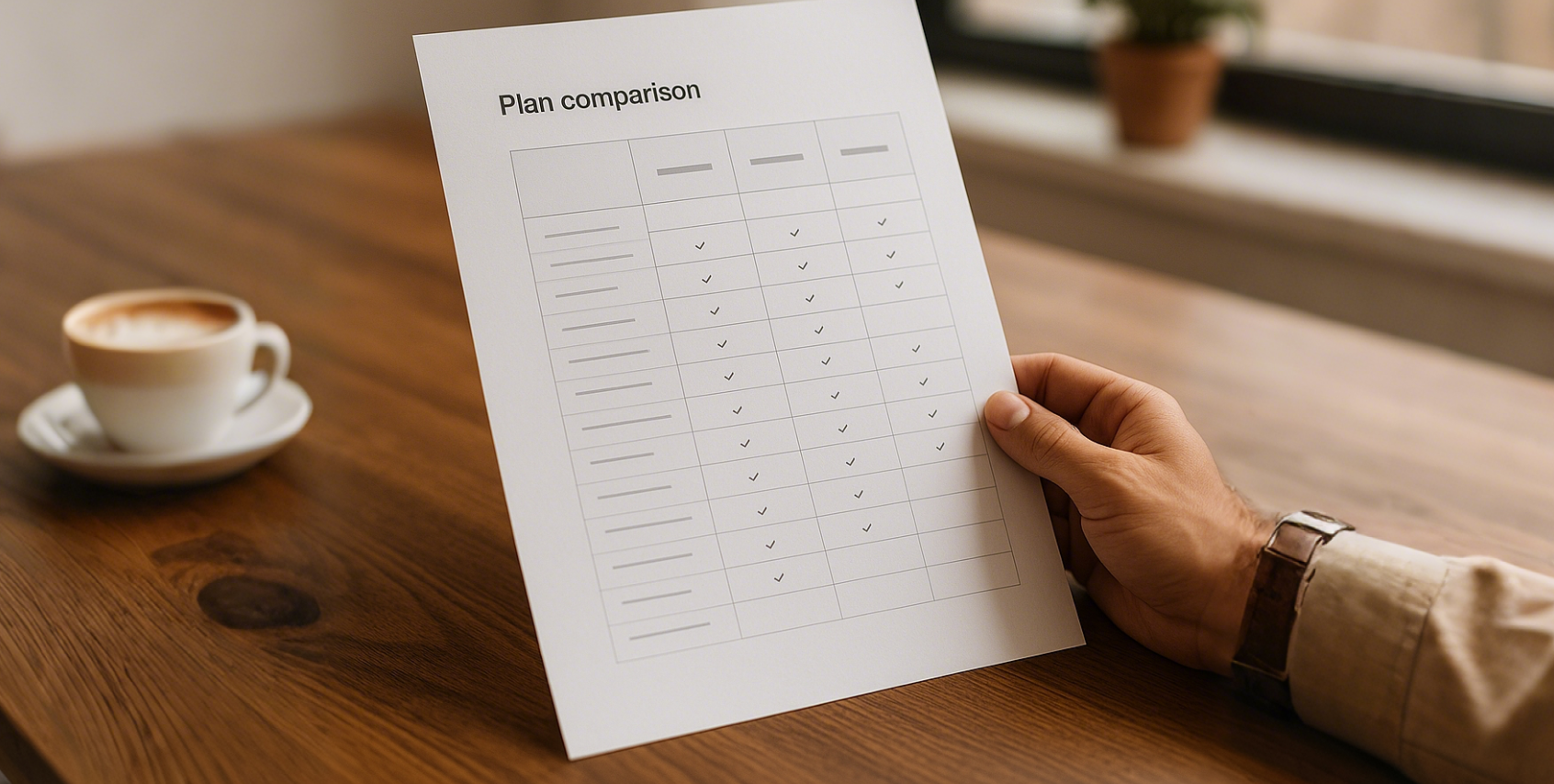
| Feature |
Redfinger Cloud Phone |
Local Android Emulator |
| Operating Environment |
Cloud-based; runs on dedicated ARM-architecture servers. |
Local-based; runs on your PC's x86 architecture, consuming local resources. |
| Resource Consumption |
Minimal impact on your local device; only requires a stable internet connection. |
High consumption of your local CPU, RAM, and GPU, which can slow down your PC. |
| 24/7 Operation |
Yes. Tasks continue to run even when your local device is off. |
No. The emulator and its tasks stop as soon as you close the program or shut down your PC. |
| Data & Security |
Data is stored securely in the cloud, isolated from your local device. |
Data is stored on your local hard drive, potentially mixing with personal files. |
| Accessibility |
Access from any supported device (PC, Android, iOS/Web) with your account. |
Tied to the specific PC where the emulator is installed. |
| Multi-Instance Scalability |
Can easily manage hundreds of devices from a single account. |
Limited by your local PC's hardware performance; typically 3-10 instances at most. |
According to the table, there is a trade-off of outsourcing versus insourcing computational labor in the decision between a cloud phone and a local emulator. The local emulator will demand hardware, power, and the running of the system. That is what a Redfinger cloud phone service offers as a subscription service. The cloud-based model has a strong opportunity when it comes to tasks that need persistence, scalability, and no reliance on one physical machine.
Step 1: What is Your Major Use Case: Gamer, Marketer, or Developer?

An honest self-evaluation of purpose is the beginning of a rational selection process. It is the use of tools to a certain problem that makes them good. The Redfinger plan that is the best is not absolute but dependent on your objectives. Automating a game, overseeing a portfolio of social media accounts, or trying out a new application? The answer to this question is the most important thing to consider in deciding your hardware and subscription requirements.
To the Dedicated Gamer: AFK Grinding and Multi-Boxing.
Gaming is the main motivator behind cloud phone seekers in Indonesia, Thailand, and Vietnam. In particular, it is so-called Away From Keyboard (AFK) grinding in popular MMORPGs such as Ragnarok M, Lineage W or Ragnarok Origin. The games frequently favor repetitive, unending activities, an ideal job of an automated, 24/7 cloud machine. Consider your gaming style. Are you an amateur gamer who needs to automate one of the accounts to match your friends? Or are you a power gamer who wants to operate multiple accounts at once (multi-boxing) to dominate an industry or direct resources to another lead character?
Single-Account AFK Grinding:
When you only aim to maintain one character online, and just have it auto-attack monsters or collect materials, how much resources you will need will be very low. Persistence is the main advantage you would want. An essential or intermediate scheme will probably be adequate.
Multi-Account Gaming (Multi-boxing):
In case you intend to launch two, five or even ten game accounts simultaneously, the new calculus is different. Every account is an independent instance of the game, which needs a dedicated RAM and processing power. In this case, you need to reason in aggregate demand. You will require an arrangement, which will allow you to perform adequately per device, and you will be buying several devices. Such features as batch control that enable you to coordinate actions in all your cloud phones become absolutely useful.
To the Strategic Marketer:
Multiple Social Account Management. The other effective use of Redfinger is in digital and social media marketing field. Using the strategy of managing many accounts is often used by businesses and individuals who want to grow on such platforms as Tik Tok, Facebook or Instagram. This enables specific interaction, A/B testing of the content, and the development of a stable online presence. These are not like the difficulties of gaming. Although the issue of graphical performance is not critical, the issues of account integrity and security are paramount. Facebook, Twitter, and various social media platforms are becoming more advanced to recognize and block the accounts that seem to be managed inorganically by the same device or IP address.
- Account Farming and Growth: Each of the social media accounts has a pure, isolated environment in a Redfinger cloud phone. As well as its ability to simulate devices and its features of unique IP addresses, it does a lot to mitigate the risk of mass bans because of account linking.
- Bulk Operations: To a marketing agency that handles dozens of client accounts, the option to conduct bulk operations, which can be uploading content, updating apps, or purge, on all devices at the same time, is translated into enormous efficiency wins. It is management-oriented and security oriented giving preference to plans that are conducive to these enterprise level features.
To the Innovative Developer: Distilled Testing and Simulation. To application developers, cloud phone is a flexible and affordable testing platform. The apps should be tested prior to their launching on various devices with varied android versions, screen resolution, and hardware capabilities. Acquisition of a physical lab of equipment is costly and hard to maintain. Redfinger provides virtual device laboratory on demand. A developer can immediately spin up a cloud phone with Android 8, Android 10, or any other to test compatibility. One-Click New Device feature enables the environment to be wiped and re-booted in a few seconds, which gives a clean slate after every test is executed. This shortens the lifecycle of the development process, lowers the cost of the hardware used and aids in the detection of bugs that may occur only on a particular system setup. In this case, it is demanded flexibility and different versions of the system, not raw and sustained performance. Even by simply recognizing your position, either as a gamer, marketer or developer, you have already reduced the number of possible choices that are of interest to you significantly.
Step 2: De-Mystify the Hardware-Leading Specs to your Requirements.
After identifying your key use case, it would be logical to now realise your use case as technical requirements. When selecting a cloud phone plan, you can easily select a physical phone; you have to observe the specifications. It is a sure way to waste your money either by overpaying on the power, which you do not require, or spending time being frustrated because the device is not capable of doing what you need it to do regardless of the version of the Android version you use.
Android Versions (V6, V8, V10): What is Android?
The devices provided by Redfinger also have alternative versions of Android operating system, including Android 6 (V6), Android 8.1 (V8), and Android 10 (V10) cloudemulator.net. This is not a trivial choice. Newer applications and games are usually designed taking into consideration the features and security measures of the newer versions of Android.
Application Compatibility: This is the most significant thing because your target application or game must need a particular version of Android. Numerous new games that will be released in 2024 and 2025 will not install without Android 9 or higher. Attempts to play such a game on an android 6 will merely fail. In the Google Play Store, always look at the minimum system requirements of your main app.
Security and Features: Android versions are usually more secure, have better notification management, and run background processing more effectively. In general and marketing or managing sensitive information in particular, it is a good idea to use a newer version such as Android 10.
Legacy Support: On the other hand, an older Android version may not work well with certain automation scripts or older applications that were developed to work with an older version of Android.
This is an exception but it is a possibility of developers when dealing with legacy code. An android 10 (V10) device will provide the best compatibility and features to the large majority of users in 2025.
RAM and Storage: How Much is Enough?
Random Access Memory (RAM) is the short-term working memory of the phone. The more RAM a device has, the more applications it can run smoothly at the same time and the better it can handle demanding tasks.
- 2GB-4GB RAM (VIP/Standard Plans): This is sufficient for running a single, less-demanding game or managing a few social media applications. If you are simply automating a 2D-style MMORPG or checking messages, this amount can be adequate. However, you may experience slowdowns if you attempt to multitask heavily.
- 6GB RAM (KVIP): This represents a significant step up and is often the sweet spot for many modern 3D games. It provides enough headroom to run the game smoothly while also having the operating system and background services function without issue. For a single-account gamer playing a graphically intensive title, this is a strong starting point.
- 8GB+ RAM (SVIP/XVIP): This tier is for power users. If you are running a very demanding 3D game at high settings, or if you intend to run multiple applications simultaneously on a single cloud phone, the extra RAM is essential. For marketers who might have a social media app, a messaging app, and a browser open at once, 8GB ensures a fluid experience.
Storage is less of a dynamic concern but still matters. Plans typically offer 32GB, 64GB, or more. Ensure the storage is sufficient for the operating system, your primary applications, and any data or media they might generate. Most modern games can take up several gigabytes, so 32GB can feel cramped quickly. A 64GB plan is a safer baseline for most users.
The Importance of a Genuine ARM-Based Architecture
We touched on this earlier, but it bears repeating. The fact that Redfinger uses an ARM-based hardware platform is a significant technical advantage over local emulators that simulate ARM instructions on x86 PC hardware. This simulation process, known as binary translation, can introduce overhead, performance penalties, and compatibility issues (VMOS Cloud, 2025). Some apps with anti-cheat or sophisticated security can even detect they are running in a simulated environment and refuse to launch. By using a native ARM environment, Redfinger provides an experience that is as close as possible to using a real, physical Android device, thereby maximizing performance and compatibility.
Step 3: Consider Your Geographic Location and Network Latency
You have defined your purpose and your technical needs. Now, we must consider the physics of the internet. The "cloud" is not an ethereal entity; it is a physical data center in a specific location. The distance between you and that data center has a direct and tangible impact on your experience, a phenomenon measured as latency.
Why Server Proximity Matters for SEA Users
Latency, often called "ping," is the time it takes for a data packet to travel from your device to the server and back. It is measured in milliseconds (ms).
Low Latency (e.g., 20-80ms): Your actions feel instantaneous. When you click a button, the response is immediate. This is ideal for any interactive task, especially gaming.
High Latency (e.g., 200-300ms+): There is a noticeable delay between your action and the server's response. This "lag" can make fast-paced games unplayable and even simple navigation feel sluggish and frustrating.
For users in Southeast Asia, choosing a server that is geographically close is paramount. A user in Bangkok, Thailand, will experience significantly lower latency connecting to a server in Singapore than they would connecting to a server in the United States.
Choosing Between US, Taiwan, and Singapore Servers
Redfinger operates servers in several locations, including the United States (US), Taiwan (TW), and Singapore (SG) cloudemulator.net. For users in Indonesia, Thailand, Vietnam, and Taiwan, the choice is clear:
- Singapore (SG) & Taiwan (TW) Servers: These are the optimal choices. Their proximity to the major population centers of Southeast Asia ensures the lowest possible latency. For anyone in the region, one of these two should be your default selection. A user in Taiwan should obviously choose the Taiwan server. A user in Indonesia or Thailand will likely get the best connection from the Singapore server.
United States (US) Server: This server should generally be avoided by users in SEA unless you have a very specific reason to use it. For example, if you are playing a game that only has North American servers, playing it from a US-based cloud phone can actually provide a better connection to the game server itself than playing from your home in SEA. However, for controlling the cloud phone, the experience will feel less responsive.
- A Mental Exercise: Testing Your Latency You do not have to guess your latency. You can perform a simple test. Before purchasing a plan, use a free online tool to ping the general regions where the servers are located. While you cannot ping the exact Redfinger server IP, you can ping a major server in Singapore, Taipei, or Los Angeles to get a rough estimate. This empirical data provides a much better basis for your decision than simple geographic intuition. Many cloud phone services, including Redfinger, may also offer a free trial, which is the perfect opportunity to test the real-world latency and responsiveness from your location before committing to a subscription.
Step 4: Redfinger Subscription Tiers (VIP, KVIP, SVIP, XVIP) comparison.
Having a definite idea of your application, specifications, and the optimum place to put your server, you are now in a full position to take a look at the specific subscription plans offered by Redfinger. The various levels, typically referred to as VIP, KVIP, SVIP and XVIP are basically packages of the hardware specification we have already talked about. It is aimed at locating the tier that suits your needs without having to pay beyond your needs.
- VIP: The Entry Understand Entry Point. The Redfinger ecosystem has the VIP plan as the cheapest point of entry. It also provides simple specifications that would be used in tasks that are less demanding. Select this when: You want to play one account with a game with lower or 2D graphics in a game such as Ragnarok M. You are after basic automation, and there is nothing like the best performance or multi-tasking. Do not do this: because you wish to play any modern, graphically-intensive, 3D game, or because you intend to run more than one or two simple applications simultaneously. It is also likely that the small RAM will result in an irritating experience.
- KVIP/ SVIP: The Golden Mean of Hardcore Gamers and Marketers. These mid-range plans also come with a significant performance boost and is the most affordable to most of the users. The shift to Android 10 and, most importantly, the beginning of 6GB or 8GB of RAM, makes the use of a significantly broader variety of applications available.
- Select KVIP (6GB) when: You are an avid gamer with a single primary game which is moderate to intense in nature. It is a good and strong selection in order to experience a smooth single-game.
- Select SVIP (8GB) when: You play a high-end game, or when you are a marketer and have to multitask a few applications simultaneously. The add-on 2GB of RAM is an excellent bonus, as it will leave enough space to breathe and allow the apps to switch the fluidly between tasks and not to be closed down too soon in the background. The SVIP plan usually provides the optimal performance to cost relationship, in the eyes of most serious users.
- XVIP: to Power Users and Demanding Applications. The top levels are aimed at the boundary-breakers. They have the highest amount of RAM, the highest amount of storage and other possible high-quality features. Select this when: You are an enterprise user managing a big grid of social media accounts, a programmer operating numerous simulations, or a gamer desiring to operate numerous demanding accounts using one and powerful moment of cloud telecommunication, provided that the plan is accessible (when allowed by the plan). It is more expensive, though the investment pays off with the performance and stability improvement of those who can capitalize on the additional power by their work or gameplay.
Step 5: Scalability and Long-term management plan.
The last thing that you should do in your deliberation process is to look beyond whatever you are doing at the moment and focus on what you need in the long run. A cloud phone is not an isolated tool but a platform. By considering scalability, security and management at the beginning, you will save much time and effort later. The Batch Control and Power of Bulk Control. The management tools become very important, should you only ever require more than a single cloud phone, which is required in a game to multi-box or in control in a suite of marketing accounts. Redfinger provides a feature strength that is based on enterprise and multi-device applications.
Group Control: Considering there are ten cloud phones running a game. Group Control Group control feature enables you to view all ten screens in your monitor simultaneously.
Synchronization: It is more powerful, although you can also designate a phone as the master. Each swipe and tap you place on the master device is instantly duplicated on all other devices, the so-called slaves. This enables an individual to effectively manage a whole fleet of virtual phones and this would have not been possible with the physical devices. Although you may be starting with one single device, awareness that such tools are present gives you a chance to think of expansion.
Security and Privacy of Data.
Since your data and applications are stored on a cloud server, then data security is a legitimate specification. Such reputable providers as Redfinger have strong security controls. Information is stored in the cloud and can be most likely seen and not available as an extraction to local machine, which serves as the safeguard of sensitive information cloudemulator.net. The privacy of users is secured using advanced encryption methods. In the case of financial applications or private chats, or business accounts, this layer of cloud-based protection can be quite beneficial compared to keeping information in a local drive that can be lost or stolen.
Adding the One-Click New Device Feature.
The aspect is especially useful to marketers and developers. Your phone would need a single click to effectively factory reset itself in the cloud with an important twist. It does not simply overwrite the data, it can even modify the underlying device identifiers (such as IMEI, MAC address, and device model). This creates the impression of a new unique device to any application or service to the virtual phone. To a marketer who does not want to have their account linked, or a developer who is testing the first-launch experience of an app, the capability to create a new device identity on demand is an exceptionally potent one. With these long-term management and scalability features in mind, you are not simply selecting a plan that will work today, you are making an investment in an engine that will expand with your demands.
Conclusion
The activity of choosing the appropriate Redfinger plan in the year 2025 is a practical reasoning process. It needs a shift towards mere comparison of prices to a more complex, multi-stage assessment of own needs. First, by developing a solid understanding of the concept of a cloud phone, namely, a persistent, powerful, and remote Android instance, you are in a position to make an informed decision. The next action is a rational progression: what is your primary purpose as a gamer, as a marketer, as a developer? You want to transfer that purpose into technical specifications of Android version and RAM and place your decision into the physical reality of network latency by choosing a server that is located in a close geographical proximity to you; and lastly, you can map your needs onto the available subscription levels. To Indonesian, Thai, Vietnamese, and Taiwan users, this implies that they should give servers in Singapore and Taiwan the priority and weigh performance benefits of KVIP and SVIP plans against the cost efficiency of the VIP tier. This decision is then narrowed down to a sensible reflection on the long-term scalability aspects and management functionalities, which turns this decision into not only a plain purchase but also an investment into a strong platform. The final decision is one that perfectly fits your objectives and gives you the needed power without any wastage and allows you to fully utilize the special abilities of cloud-based Android.